
A short, practical guide to living with Dollar.一份简短实用的指南,陪你上手叨乐。
No setup wizardry, no cloud account. Install him, point him at your AI tools, and he starts watching locally. This page walks through the parts you'll actually touch — setting him up, daily use, and where your data lives.没有复杂的安装向导,也不需要云端账号。装好他、把他指向你的 AI 工具,他就会在本地开始守护。这一页讲清楚你真正会用到的部分——怎么装好、日常怎么用,以及你的数据存在哪里。
Honest from the start: a gate, not a sandbox — a safety net, not a replacement for Git or backups.一开始就说实话:这是一道关卡,而非沙箱——是一张安全网,而非 Git 或备份的替代品。

Install him, then point him at your AI tools.先把他装好,再指向你的 AI 工具。
A few quiet minutes on your desktop. Once the local service is up, Dollar watches Claude Code and Codex as they run on your machine.在你的桌面上花几分钟安静地装好。本地服务启动后,叨乐就会盯着在你电脑上运行的 Claude Code 与 Codex。
Install from Steam从 Steam 安装
Buy Dollar on Steam and install it through the Steam client like any other app. It is available for Windows and macOS; macOS requires version 12 or later and the build is Universal for Apple silicon and Intel. Dollar is closed-source.在 Steam 购买叨乐,并像安装其他应用一样通过 Steam 客户端安装。它可用于 Windows 与 macOS;macOS 需要 12 或更高版本,构建为 Universal,支持 Apple Silicon 与 Intel。叨乐为闭源软件。
Start the local service启动本地服务
On first run he starts a local service that stays on your machine only. It keeps running quietly in the background.首次运行时,他会启动一个只在你电脑上运行的本地服务。它会在后台静默运行。
Local service · running
Point him at your AI把他指向你的 AI
Connect Claude Code and Codex. From then on, when they run, Dollar reads what each command is about to do — before it runs.连上 Claude Code 与 Codex。从此当它们运行时,叨乐会在每条命令执行前,先读懂它要做什么。
Confirm he's watching确认他在守护
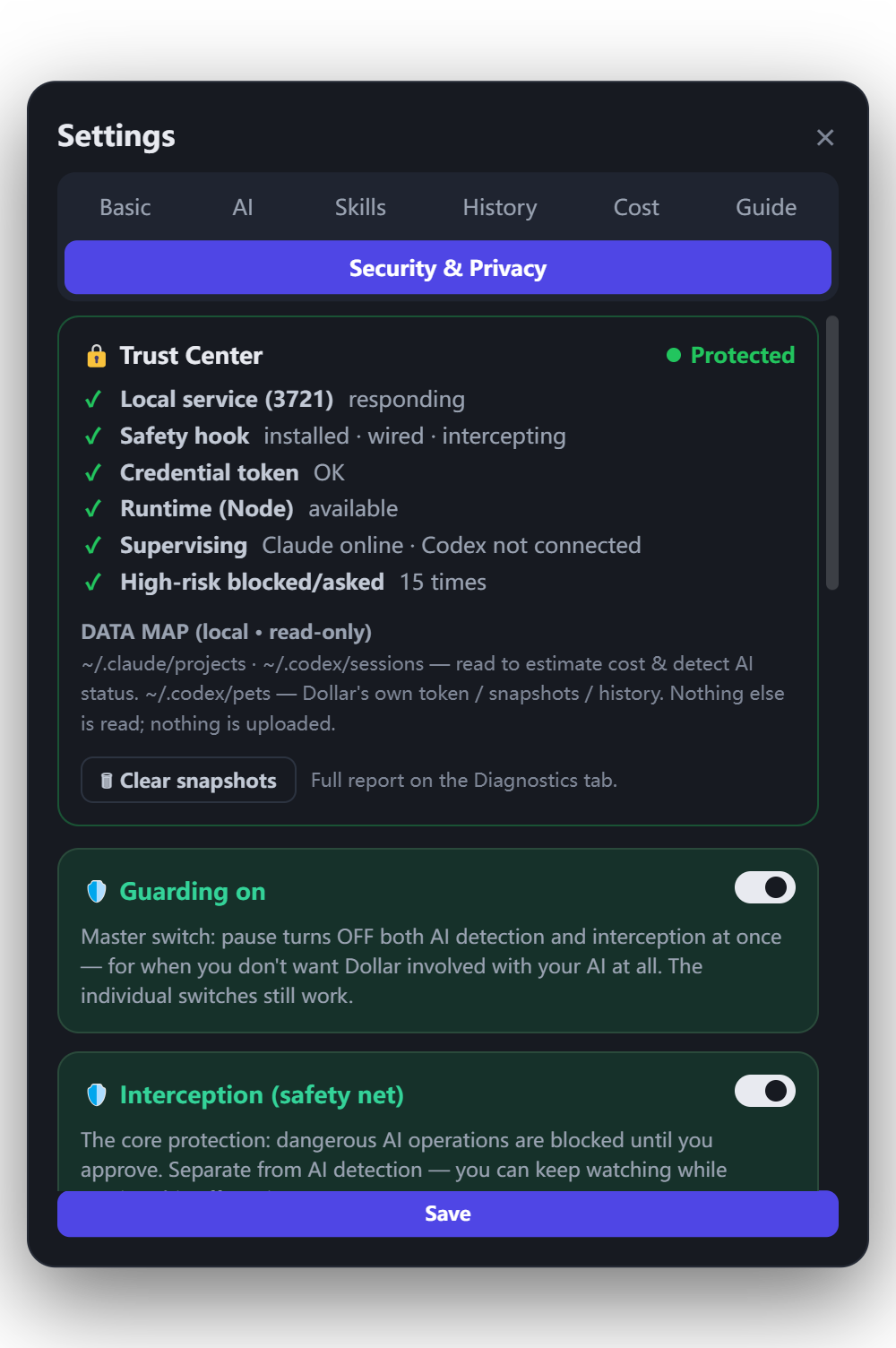
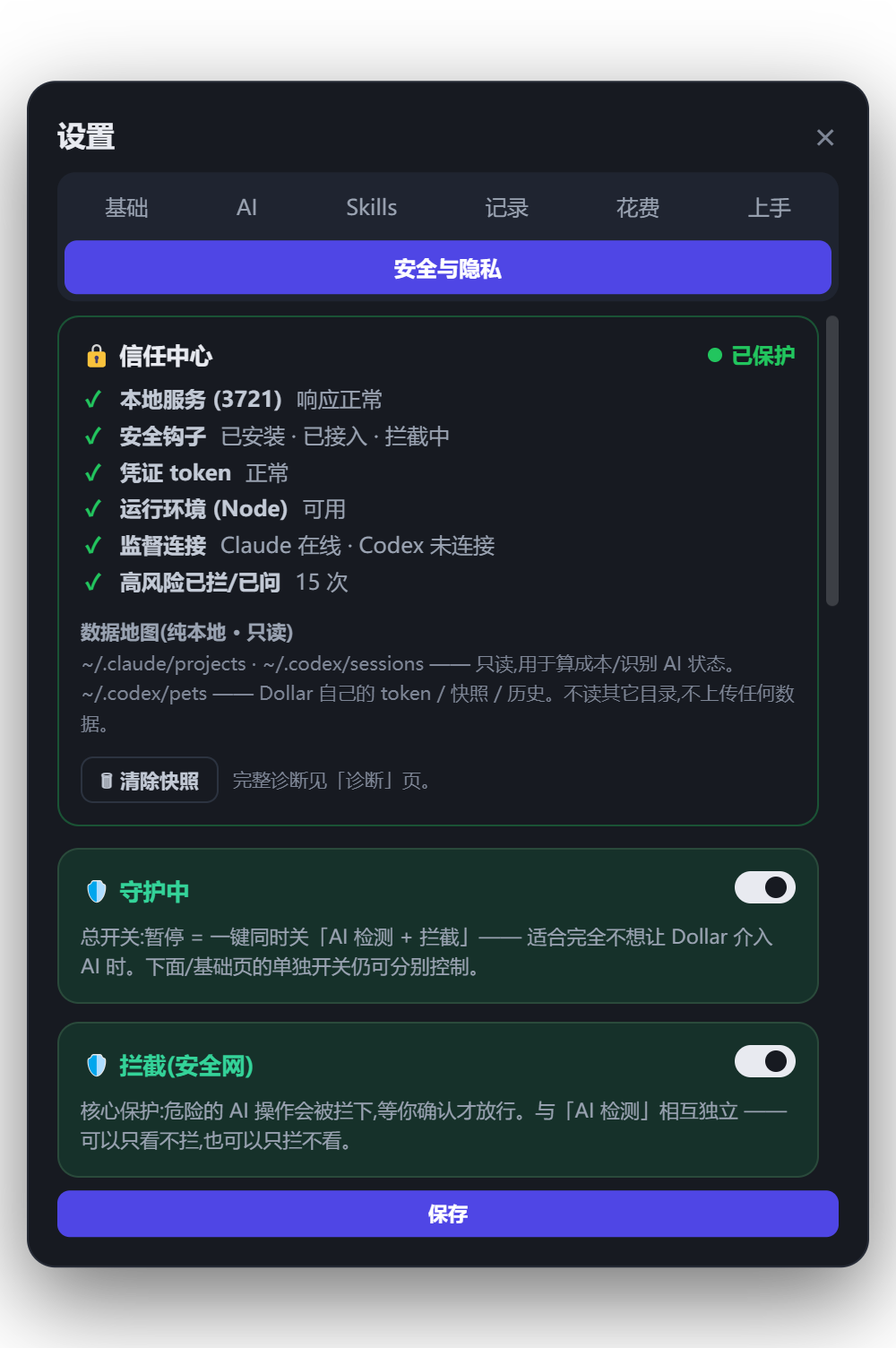
Open the Trust Center and run a one-click self-diagnosis. It tests the three colors end to end — green, amber, red — so you can watch the safety net respond before you lean on it.打开信任中心,做一次一键自检。它会端到端地测试三种颜色——绿、琥珀、红——让你在依赖这张安全网之前,先亲眼看它做出反应。
Pick a mode, then mostly forget he's there.选好模式,然后几乎可以忘了他在。
Dollar stays quiet on the green stuff and speaks up on the risky stuff. Whichever mode you pick, catastrophic actions — wiping a disk, force-pushing over main, deleting a remote branch, dropping a database — still stop and wait for you. Two global keys, one short timeout, and a way back if something slips through.绿色的事他安静处理,有风险的事他才出声。无论你选哪一档,灾难级操作——抹盘、强推覆盖 main、删远程分支、drop 数据库——仍然会停下来等你。两个全局快捷键、一个短暂的超时,以及万一有疏漏时的退路。
Records everything and says nothing — red included. For an agent you already trust, when you want the ledger but not the interruptions.只记录、不出声,红色也照跑。适合你已经信得过的 agent:要账本,不要打扰。
Green stays quiet; amber and red get a notice as they happen. A notice is a heads-up, not a gate — it does not wait for you.绿色安静,黄色和红色当场提醒。提醒就是提醒,不是闸门——它不会等你。
Red is flagged the moment it happens, with a way back prepared first — Guard's edge is recovery, not an extra gate. Only the truly irreversible kind waits for your yes. Amber still only notifies, so Guard stays usable instead of turning into a nag. Set it per agent — a new agent on Guard, a familiar one on Observe.红色会在发生的当下提醒你,并尽量先铺好退路——守护档更强在恢复,不在多一道闸;只有真正撤不回来的那一类才等你点头。黄色仍然只提醒,所以守护档不会变成唠叨。可以按 agent 分别设:新接的设守护,熟的设观察。

cat secrets.env | tee /tmp/out && rm -rf ./dist
A green-session yes is remembered. A red one never is — you're told every time.绿色会话里的「同意」会被记住。红色永远不会——每一次都会再提醒你。
Snapshots & Task Time Machine快照与任务时光机
Snapshots are saved locally — encrypted at rest where your system supports it — so you can roll back a task if something goes wrong. Task Time Machine lets you step back to before a risky action ran — a safety net, not a replacement for Git or backups.快照保存在本地(在你的系统支持时会静态加密),让你能在出问题时回退任务。任务时光机可以回到危险操作执行前的状态——这是一张安全网,而非 Git 或备份的替代品。
Trust Center self-diagnosis信任中心自检
One click tests the three colors end to end and shows what happens when no answer arrives: while Dollar is running, a high-risk action waiting on you is held — not run.一键端到端测试三种颜色,并展示答复没来时会发生什么:只要叨乐在运行,还等着你决定的操作会被拦住——而不是被执行。
It lives on your machine. You can always look.它存在你的电脑里。你随时都能查看。
Dollar is pure local with zero telemetry — nothing leaves your machine. Nothing is uploaded to make him useful, and the desktop bubbles show status only — never your content.叨乐纯本地运行、零遥测——没有任何东西离开你的电脑。他无需上传任何东西就能工作,桌面气泡只显示状态——绝不显示你的内容。
Where it lives数据存在哪
Snapshots, logs, and your settings sit on your own disk. A "where's my data" view shows you the exact spots — transparent by design.快照、日志和你的设置都在你自己的硬盘上。一个「我的数据在哪」视图会告诉你确切位置——设计上就是透明的。
Local & private本地且私密
Snapshots stay on your machine and stay private: copies Dollar sets aside are encrypted at rest wherever your system provides it, and in a project under version control the restore point rides your project's own history instead of a separate copy. Crash logs are cleaned before any inspection and never uploaded.快照只留在你的电脑上,且保持私密:叨乐另存的副本,在你的系统提供加密能力时会加密存放;如果项目在版本控制之下,恢复点会跟着项目自己的历史走,而不是另存一份。崩溃日志在查看前会做清理,且绝不上传。
Inspect & export查看与导出
From the Cost & Value Meter you can export a PDF, CSV, or analysis pack — auto-redacted before it leaves. Nothing goes anywhere you didn't ask it to.在成本与价值仪表里,你可以导出 PDF、CSV 或分析包——离开前会自动脱敏。没有你没要求的内容会被送往任何地方。
A safety net, not a guarantee.一张安全网,而非一句保证。
Dollar is a gate, not a sandbox — and not a replacement for Git or backups. Cost figures are local estimates based on available logs and pricing settings — a guide, not an official bill. He's closed-source and local-first, and he does his best to catch risky actions and ask first.叨乐是一道关卡,而非沙箱——也不能替代 Git 或备份。费用为本地估算,基于可获得的日志和价格设置——是参考,而非官方账单。他是闭源软件、本地优先,会尽力留意有风险的操作并先问你一声。