
A short, practical guide to living with Dollar.一份简短实用的指南,陪你上手叨乐。
No setup wizardry, no cloud account. Install him, point him at your AI tools, and he starts watching locally. This page walks through the parts you'll actually touch — setting him up, daily use, and where your data lives.没有复杂的安装向导,也不需要云端账号。装好他、把他指向你的 AI 工具,他就会在本地开始守护。这一页讲清楚你真正会用到的部分——怎么装好、日常怎么用,以及你的数据存在哪里。
Honest from the start: a gate, not a sandbox — a safety net, not a replacement for Git or backups.一开始就说实话:这是一道关卡,而非沙箱——是一张安全网,而非 Git 或备份的替代品。

Install him, then point him at your AI tools.先把他装好,再指向你的 AI 工具。
A few quiet minutes on Windows. Once the local service is up, Dollar watches Claude Code and Codex as they run on your machine.在 Windows 上花几分钟安静地装好。本地服务启动后,叨乐就会盯着在你电脑上运行的 Claude Code 与 Codex。
Install on Windows在 Windows 上安装
Get Dollar on the Steam page — current version and price are there; he installs like any app. He's Windows-only and closed-source — no extra runtime to chase down.在 Steam 页面购买叨乐——当前版本与价格以页面为准;像装任何应用一样安装。他仅支持 Windows、是闭源软件——不用额外折腾运行环境。
Start the local service启动本地服务
On first run he starts a local service that stays on your machine only. It keeps running quietly in the background.首次运行时,他会启动一个只在你电脑上运行的本地服务。它会在后台静默运行。
Local service · running
Point him at your AI把他指向你的 AI
Connect Claude Code and Codex. From then on, when they run, Dollar reads what each command is about to do — before it runs.连上 Claude Code 与 Codex。从此当它们运行时,叨乐会在每条命令执行前,先读懂它要做什么。
Confirm he's watching确认他在守护
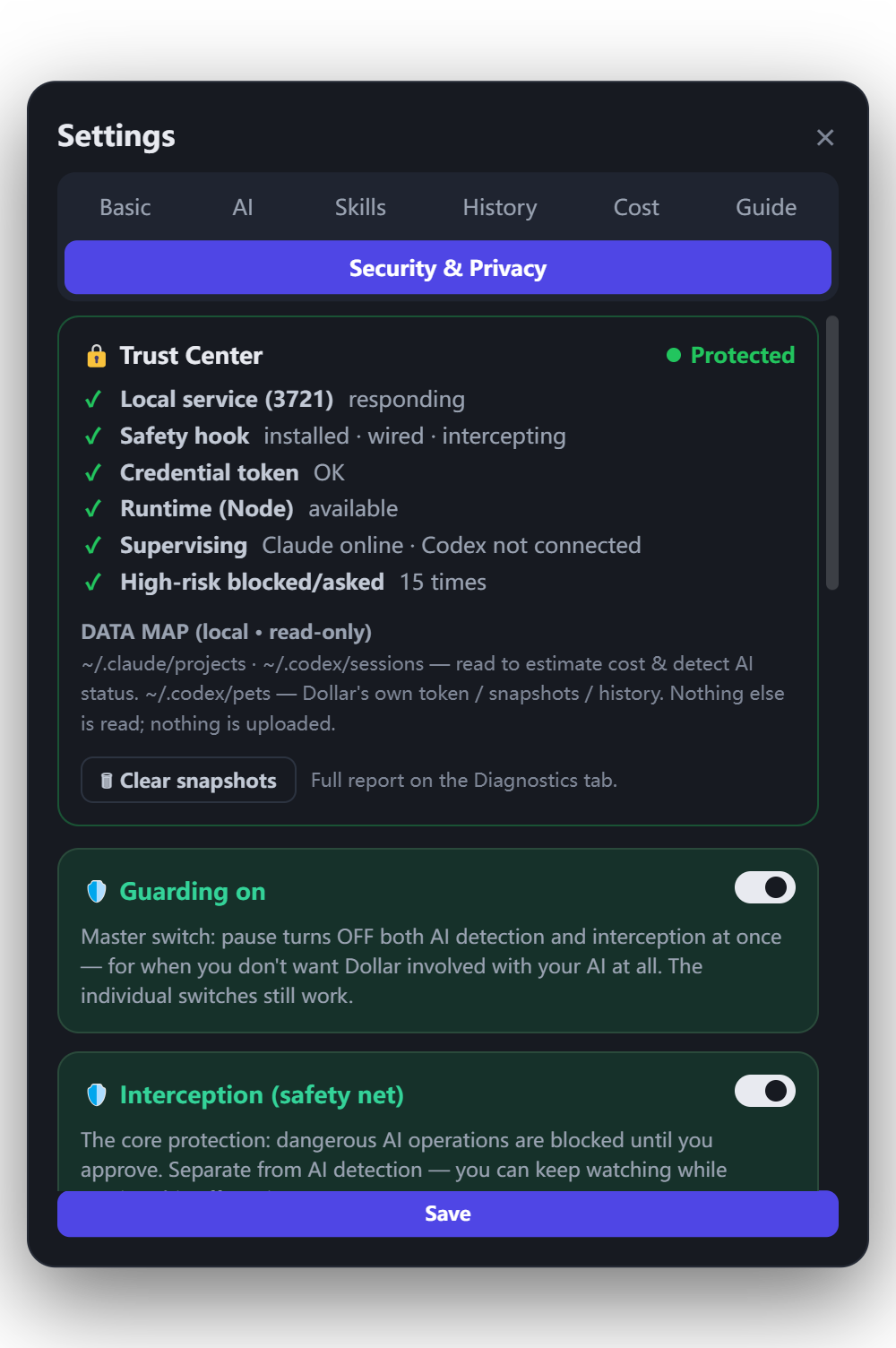
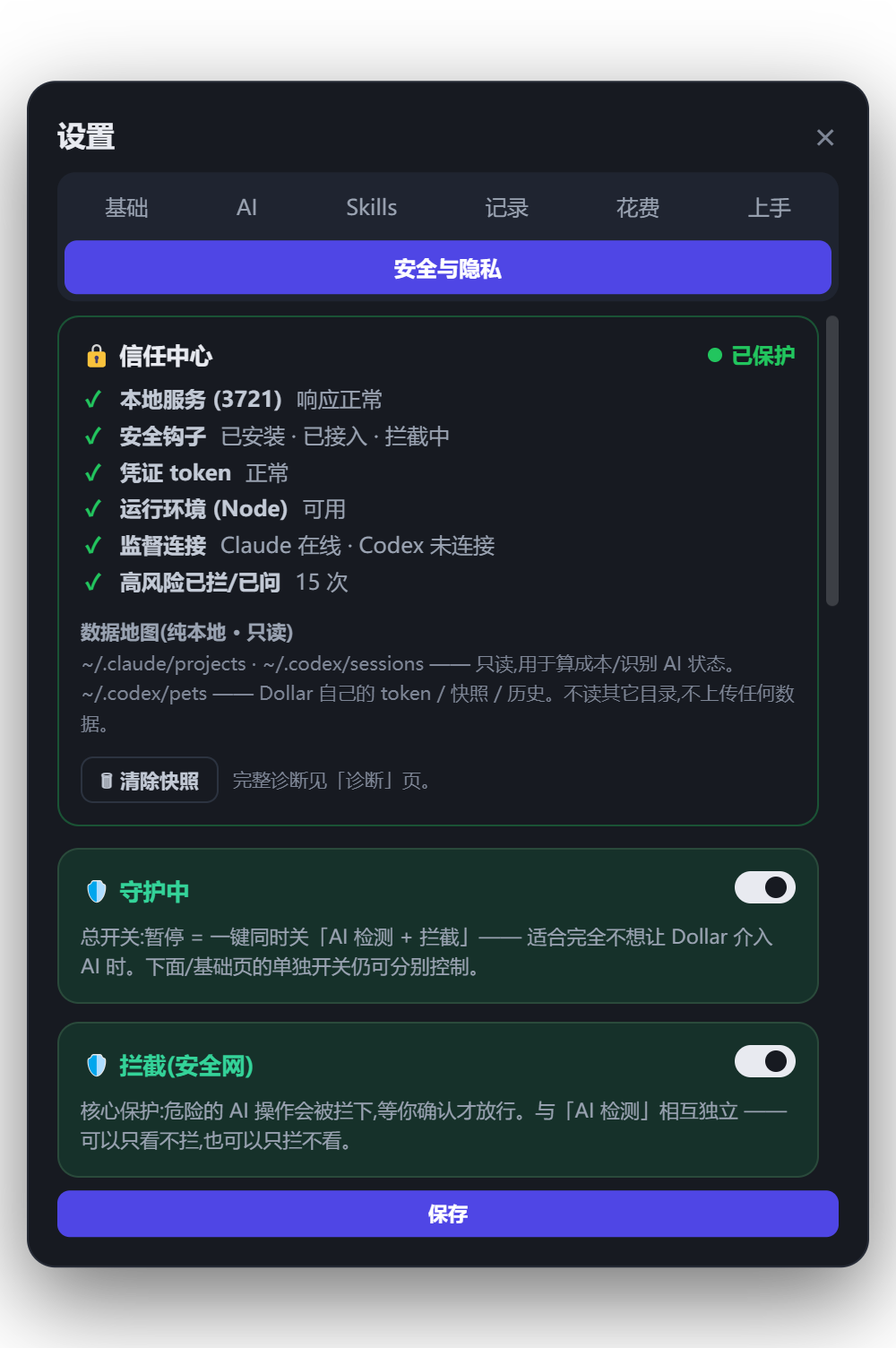
Open the Trust Center and run a one-click self-diagnosis. It tests the three colors end to end — green, amber, red — so you can watch the safety net respond before you lean on it.打开信任中心,做一次一键自检。它会端到端地测试三种颜色——绿、琥珀、红——让你在依赖这张安全网之前,先亲眼看它做出反应。
Pick a mode, then mostly forget he's there.选好模式,然后几乎可以忘了他在。
Dollar stays quiet on the green stuff and speaks up on the risky stuff. Two global keys, one short timeout, and a way back if something slips through.绿色的事他安静处理,有风险的事他才出声。两个全局快捷键、一个短暂的超时,以及万一有疏漏时的退路。
Asks first on more actions. Best when you're moving fast with an agent you don't fully trust yet.对更多操作先征求同意。适合你和还不完全信任的助手快速推进时。
Green runs, amber gets flagged, red always waits for you. A calm default for everyday work.绿色放行、琥珀标记、红色始终等你。日常工作的从容默认值。
Lets more through for flows you trust — but red is never silently let through, and "approve all" never batches red.在你信任的流程里放行更多——但红色绝不会被悄悄放过,「全部放行」也绝不会批量放过红色。

cat secrets.env | tee /tmp/out && rm -rf ./dist
A green-session yes is remembered. A red one never is — you're asked every time.绿色会话里的「同意」会被记住。红色永远不会——每一次都会再问你。
Snapshots & Task Time Machine快照与任务时光机
Snapshots are saved locally and encrypted on your machine so you can roll back a task if something goes wrong. Task Time Machine lets you step back to before a risky action ran — a safety net, not a replacement for Git or backups.快照保存在本地、在你的电脑上加密,让你能在出问题时回退任务。任务时光机可以回到危险操作执行前的状态——这是一张安全网,而非 Git 或备份的替代品。
Trust Center self-diagnosis信任中心自检
One click tests the three colors end to end and confirms the fail-closed path: if the local service can't be reached, high-risk actions are held — not run.一键端到端测试三种颜色,并确认失败即停的路径:如果本地服务无法连通,高风险操作会被拦下——而不是被执行。
It lives on your machine. You can always look.它存在你的电脑里。你随时都能查看。
Dollar is pure local with zero telemetry — nothing leaves your machine. Nothing is uploaded to make him useful, and the desktop bubbles show status only — never your content.叨乐纯本地运行、零遥测——没有任何东西离开你的电脑。他无需上传任何东西就能工作,桌面气泡只显示状态——绝不显示你的内容。
Where it lives数据存在哪
Snapshots, logs, and your settings sit on your own disk. A "where's my data" view shows you the exact spots — transparent by design.快照、日志和你的设置都在你自己的硬盘上。一个「我的数据在哪」视图会告诉你确切位置——设计上就是透明的。
Encrypted at rest静态加密
Snapshots are encrypted on your machine and kept private. Crash logs are cleaned before any inspection and never uploaded.快照在你的电脑上加密并保持隐私。崩溃日志在查看前会做清理,且绝不上传。
Inspect & export查看与导出
From the Cost & Value Meter you can export a PDF, CSV, or analysis pack — auto-redacted before it leaves. Nothing goes anywhere you didn't ask it to.在成本与价值仪表里,你可以导出 PDF、CSV 或分析包——离开前会自动脱敏。没有你没要求的内容会被送往任何地方。
A safety net, not a guarantee.一张安全网,而非一句保证。
Dollar is a gate, not a sandbox — and not a replacement for Git or backups. Cost figures are local estimates based on available logs and pricing settings — a guide, not an official bill. He's closed-source and Windows-only, and he does his best to catch risky actions and ask first.叨乐是一道关卡,而非沙箱——也不能替代 Git 或备份。费用为本地估算,基于可获得的日志和价格设置——是参考,而非官方账单。他是闭源软件、仅支持 Windows,会尽力留意有风险的操作并先问你一声。